
Your website.
Your next update.
Keep your content current without rebuilding the design. Try a few changes below, then see how the real Sanity editor works.
A small change.
See it take shape.
Type a headline, change the copy or choose an image. This practice runs only in your browser and never changes Sanity or the real website.
Engineering what comes next.
Practical expertise. Thoughtful engineering. We help ambitious teams turn complex challenges into dependable systems.
Let’s build what’s next ↗
Watch the Draft preview as you type. Publish to preview, then switch between Draft and Published to compare your next changes. Reset or refresh to start again.
A look at
Sanity Studio.
These reference screenshots come from Sanity’s official guide. Your website’s editor will have its own content fields and navigation.
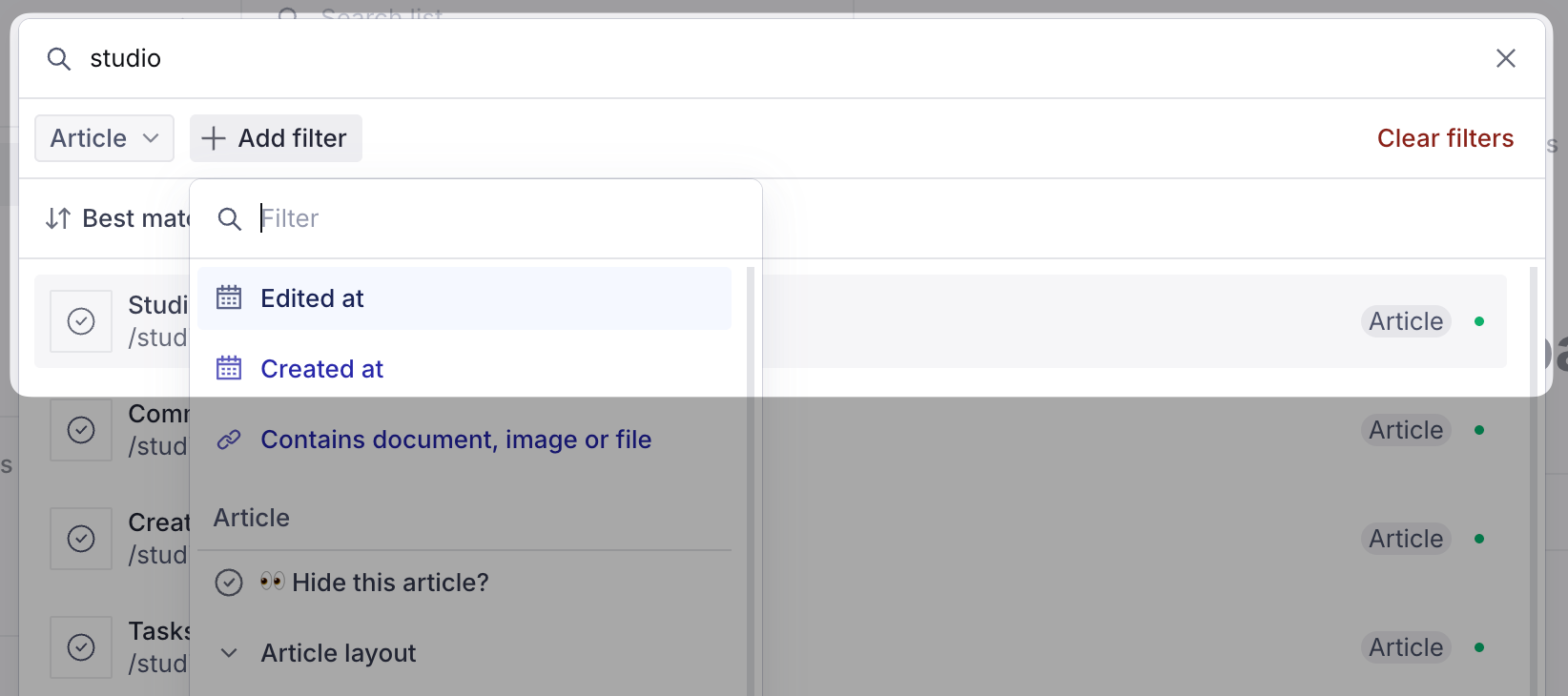
Find your content
Search for the content you want to update, then open it in the editor.
 Enlarge screenshot ↗
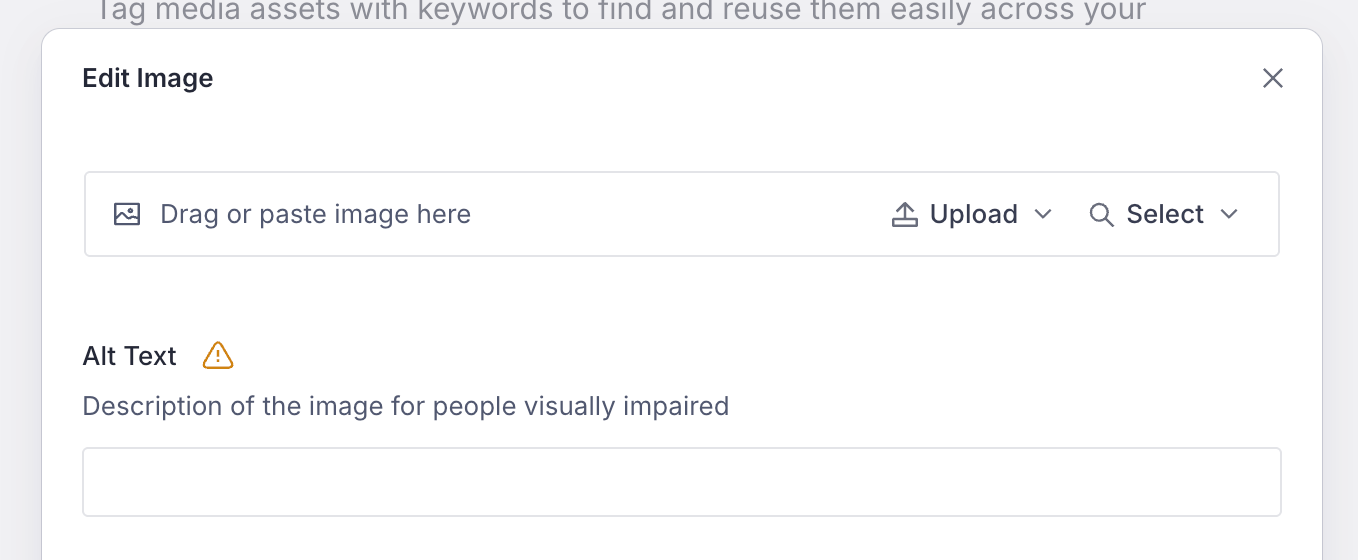
Update copy and images
Edit the fields provided for your website. Image fields let you select or upload a replacement and add a description.
 Enlarge screenshot ↗
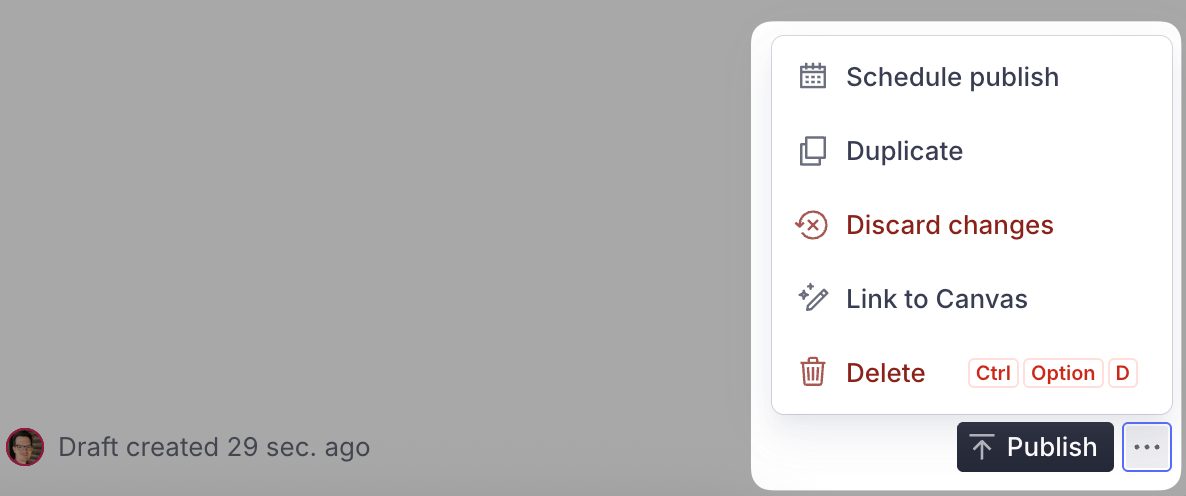
Review, then publish
Check your changes before choosing Publish. Your website then picks up the published content through its configured publishing flow.
 Enlarge screenshot ↗
Screenshots: Sanity’s content editing guide ↗
The content
you can manage.
Editing follows an agreed content model. The approved design stays consistent while your team keeps the information current.
Brand & contact
Brand name, introductions and contact details.
Homepage content
Headlines, supporting copy and supported images.
Services & projects
Descriptions, specifications, galleries and project stories.
Journal & FAQs
Article text, questions and answers, and page metadata.
Ready to see your own editing workflow?
We can walk you through the connected Clenoir editor and explain how editing access, content fields and publishing would work for your team.
Arrange a guided walkthrough ↗